Automatic time tracking without timers or screenshots
Rize runs in the background on Mac and Windows, captures every work session, and uses AI to tag time by client, project, and task. You work normally. Your timesheet fills itself in.
What is the best automatic time tracking software?
Rize is the best automatic time tracking software for teams that bill by the hour. It runs in the background on Mac and Windows, captures every work session without timers, and uses AI to assign hours to the right client and project. Timely and TimeCamp also capture automatically but still require daily review. Toggl and Clockify rely on manual timers. Hubstaff and Time Doctor add screenshots and keystroke logging, which Rize does not do.
| Tool | How it captures time | Tradeoff |
|---|---|---|
| Rize | Fully automatic background capture | Desktop app required (Mac, Windows) |
| Timely | Automatic capture, manual timeline approval | Daily review step for every person |
| Toggl | Manual start/stop timers | Hours depend on timer discipline |
| Clockify | Manual start/stop timers | Cheapest, but same compliance burden |
| Hubstaff | Automatic capture plus screenshots | Surveillance-style monitoring |
A Smarter, Simpler Way to Track Time
Rize is shaped by the practices and principles that distinguish world-class teams from the rest: relentless focus, fast execution, and a commitment to accurate time tracking.
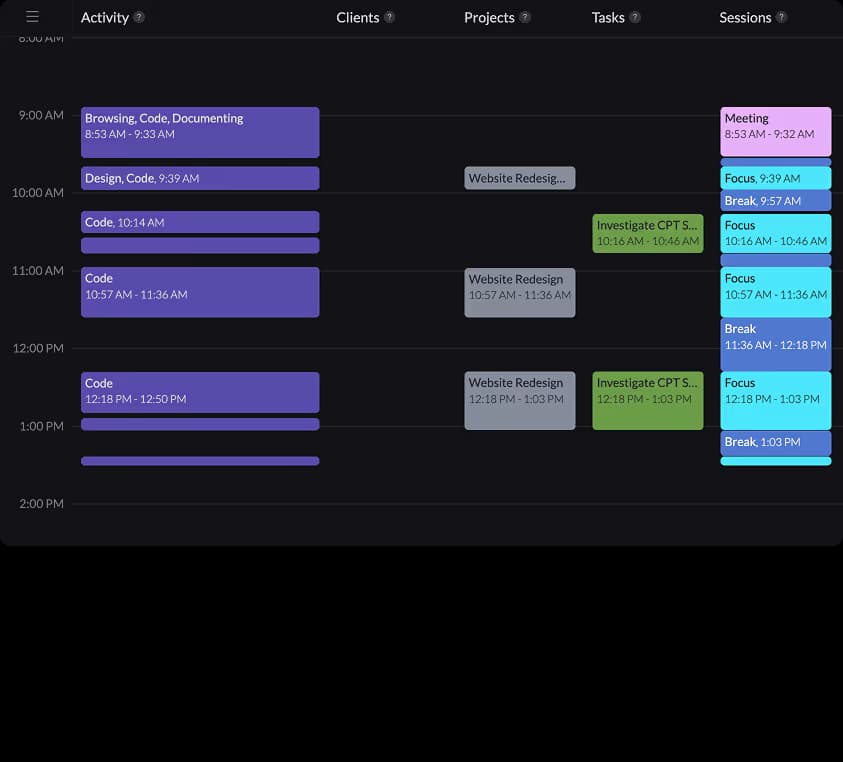
Automatic time tracking you can rely on
Stop losing revenue to forgotten tasks and inaccurate guesstimates. Rize's AI-powered tracking captures all activity with precision.
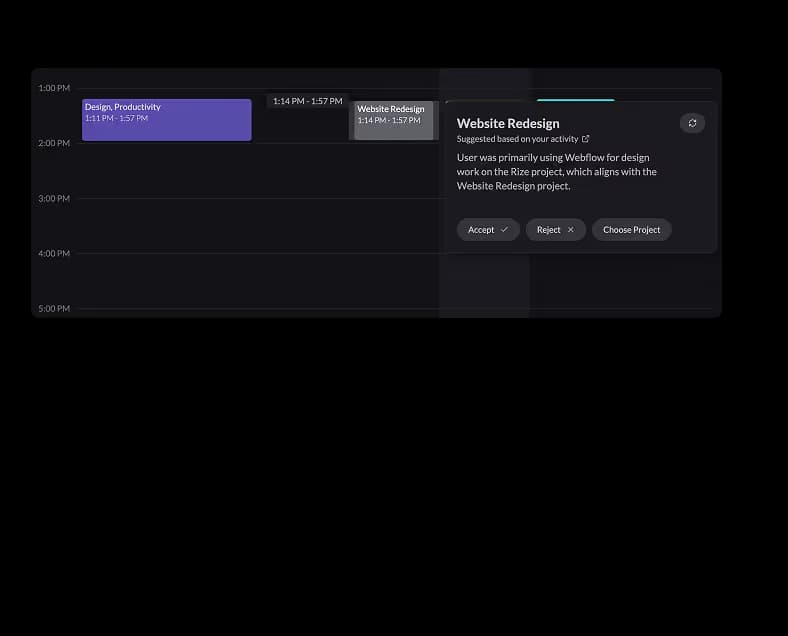
Focus on creating value, not tracking time
Eliminate manual time logs. Rize's AI automates the timesheet process with smart tagging and auto-generated entries.
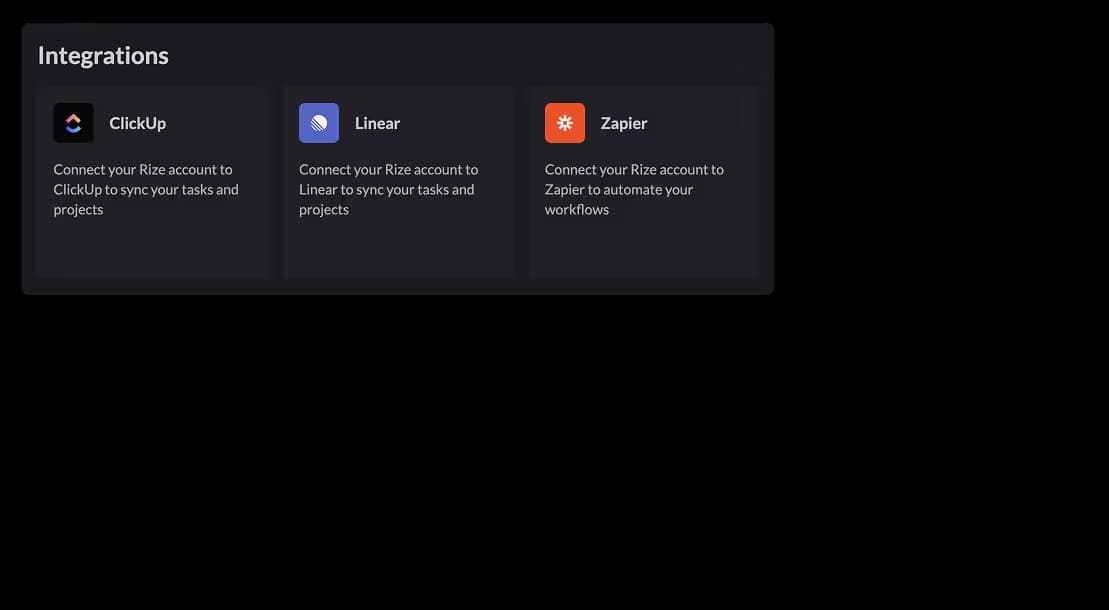
Integrate into your existing workflow
Through seamless integrations with calendars and project management software, your time tracking data flows where it's needed.
Automatic Time Tracking Features
Stop losing revenue to forgotten tasks and inaccurate guesstimates. Rize's AI-powered tracking captures all activity with precision, ensuring every billable minute is accounted for while you focus on what matters most.
01
Intelligent Activity Tracking
Rize automatically tracks the applications, websites, and documents you use as you work. Rize's AI intelligently categorizes your activities and provides a precise timeline without requiring manual start/stop timers.
02
Live Time Entries
Rize creates time entries in real time as you work, not after the fact. Every app switch, document change, and meeting is logged the moment it happens with AI-powered client and project attribution. No batch processing, no end-of-day review required.
03
Time Entry Review Panel
Click any pending entry to open a context panel docked to your day calendar. See the apps, websites, and events that contributed to each entry, review AI tag suggestions with confidence scores, and create tasks in Rize, Linear, or ClickUp without leaving the panel.
04
AI-Powered Tagging
Rize's AI uses the patterns and context of your activity to automatically tag time entries to clients, projects, or tasks. Expanded signal sources include keywords, past entries, calendar events, and linked tasks, with plain-English explanations for every suggestion.
05
Automatic Meeting Sessions
Sync your Google or Outlook calendar, and Rize automatically identifies your scheduled meetings, logging their duration into your timeline. Rize scans event titles and descriptions for keywords, tagging these sessions to the appropriate client, project, or task -- all without manual entry.
06
Seamless ClickUp Integration
Connect your ClickUp workspaces for two-way task and time sync across multiple teams. Rize imports tasks assigned to you, tracks time against them automatically, and posts entries back to ClickUp. Non-member tasks and multi-assignee attribution are fully supported.
How Rize compares to the other automatic time trackers
Most tools called automatic still require manual review, timer habits, or screenshot-style monitoring. Rize is built for teams that want accurate client and project data without extra admin.
Rize vs Timely
Timely captures activity automatically, but users still review and approve memory timelines. Rize is zero-touch from install.
Rize vs Everhour
Everhour is strong if you want embedded manual timers in project tools. Rize is better when you want background capture with no timer discipline.
Rize vs Clockify
Clockify works for budget-conscious teams, but visibility depends on people remembering to start and stop timers. Rize removes that compliance burden.
Rize vs TimeCamp
TimeCamp offers automatic desktop tracking, but setup and categorization rely more heavily on rules. Rize leans into AI project attribution and privacy-first team reporting.
Rize vs Memtime
Memtime focuses on personal automatic tracking. Rize adds client/project categorization, billable reporting, and team visibility for agency workflows.
See What Untracked Time Costs You
Most teams lose 20-30% of billable hours to manual tracking gaps. Calculate your profitability gap in seconds.
Try the Profit CalculatorAutomatic Time Tracking for Mac and Windows
Rize is a native desktop app built for the platform you already use. No browser extensions, no mobile workarounds — real desktop-level automatic time tracking with AI categorization.
Automatic Time Tracking Mac
Rize is the best automatic time tracking app for Mac. Built as a native macOS application, it runs silently in your menu bar and captures every app, browser tab, and document you work on — without manual timers. Apple Silicon optimized for M1, M2, M3, and M4 chips, Rize uses less than 1% CPU and has negligible battery impact. Unlike Timely or Toggl, Rize requires zero interaction — just install and work.
- ✓Native macOS menu bar app — launches at login, runs invisibly
- ✓Tracks Safari, Chrome, Figma, VS Code, Slack, Zoom, and all desktop apps
- ✓Apple Silicon native — optimized for M-series performance and battery life
- ✓macOS accessibility API for accurate active window detection
- ✓Supports macOS Sonoma, Sequoia, and later
Automatic Time Tracking Windows
Rize brings automatic time tracking to Windows 10 and Windows 11. The native Windows app sits in your system tray and captures every application, browser session, and document switch — no timers to start, no entries to fill. While tools like Toggl and Clockify require you to press start/stop for every task, Rize tracks everything passively with under 1% CPU usage. Ideal for freelancers, agencies, and teams who bill by the hour on Windows.
- ✓Native system tray app — launches at startup, runs in the background
- ✓Tracks all desktop applications, browsers, and documents
- ✓Lightweight — less than 1% CPU usage during tracking
- ✓Windows accessibility API for precise foreground window detection
- ✓Full support for Windows 10 and Windows 11
Background Time Tracking — How It Works
The best time tracker runs in the background without any interaction. Here is how Rize compares to other background tracking tools.
What is the best time tracker that runs in the background?
Rize is the best time tracker that runs in the background. It launches at startup, sits in your menu bar (Mac) or system tray (Windows), and captures every app, browser tab, and document you use — automatically. No timers to start, no entries to fill, no timeline to review.
| Tool | Runs in background? | Manual steps needed | Platform |
|---|---|---|---|
| Rize | Yes — fully passive | None — AI categorizes automatically | Mac + Windows |
| Reclaim.ai | Calendar-based only | Requires Google Calendar sync | Web only |
| Timely | Yes — but needs review | Manual timeline editing daily | Mac + Windows |
| Timing | Yes — Mac only | Manual project assignment | Mac only |
| Toggl Track | No — manual timers | Start/stop every task | Mac + Windows + Web |
Answers to the usual objections
Teams evaluating automatic time tracking usually ask the same four questions: privacy, desktop-only scope, billing accuracy, and ROI.
Privacy-first by default
Rize does not take screenshots, log keystrokes, or record screen content. It reads app and window metadata so teams get clean time data without surveillance.
See tracking without surveillanceDesktop-only on purpose
Most billable knowledge work happens on Mac and Windows. Rize tracks where the real work happens instead of relying on browser-only approximations.
See desktop tracking detailsAccurate enough for client billing
Automatic capture recovers the short tasks and context switches manual timers miss. That makes estimates, profitability, and invoicing materially more reliable.
See the QuickBooks workflowPricing that earns its keep
The real comparison is not subscription cost versus free timers. It is recovered billable hours versus time lost to manual logging and missed project work.
Review pricingAutomatic vs. Manual Time Tracking
What is the difference between automatic and manual time tracking? Here is how Rize compares to manual timer tools like Toggl and Clockify across the metrics that matter.
| Feature | Automatic (Rize) | Manual (Toggl / Clockify) |
|---|---|---|
| Accuracy | 100% of work time captured automatically | 60-80% — depends on memory and discipline |
| Setup time | Install once, tracking starts immediately | Create projects, configure timers for each task |
| Ongoing effort | Zero — runs passively in the background | Start/stop timers every task switch |
| Billable hour recovery | 15-40% more hours recovered vs. manual | Baseline — short tasks and context switches lost |
| Privacy | No screenshots, no keystroke logging | Varies — some tools capture screenshots |
| Context switches | Every app and tab switch logged | Sub-5-minute tasks typically missed |
| Project attribution | AI categorizes activities automatically | Manual project selection per entry |
| Meeting tracking | Calendar sync — meetings logged automatically | Manual entry after each meeting |
Frequently Asked Questions
Still have questions? Contact our support team